
Guide
Your photo → reusable mockup
Upload any product photo, describe the printable surface, and DKARTE builds a blank area plus an editable mask. Swap designs forever and adjust each one in the browser editor.
Steps
Step 01
Choose Turn into mockup
In the generator, select Turn into mockup. Upload a clear photo where the print surface is visible — apparel, packaging, signage, or product on a table.
Step 02
Describe the surface and add a print
Write what should become the blank printable area (e.g. “front of the t-shirt” or “label on the jar”). Upload a first design so the AI knows the aspect and placement.
Generation creates a recolor plate, blank surface, and editable mask matched to your photo.
Step 03
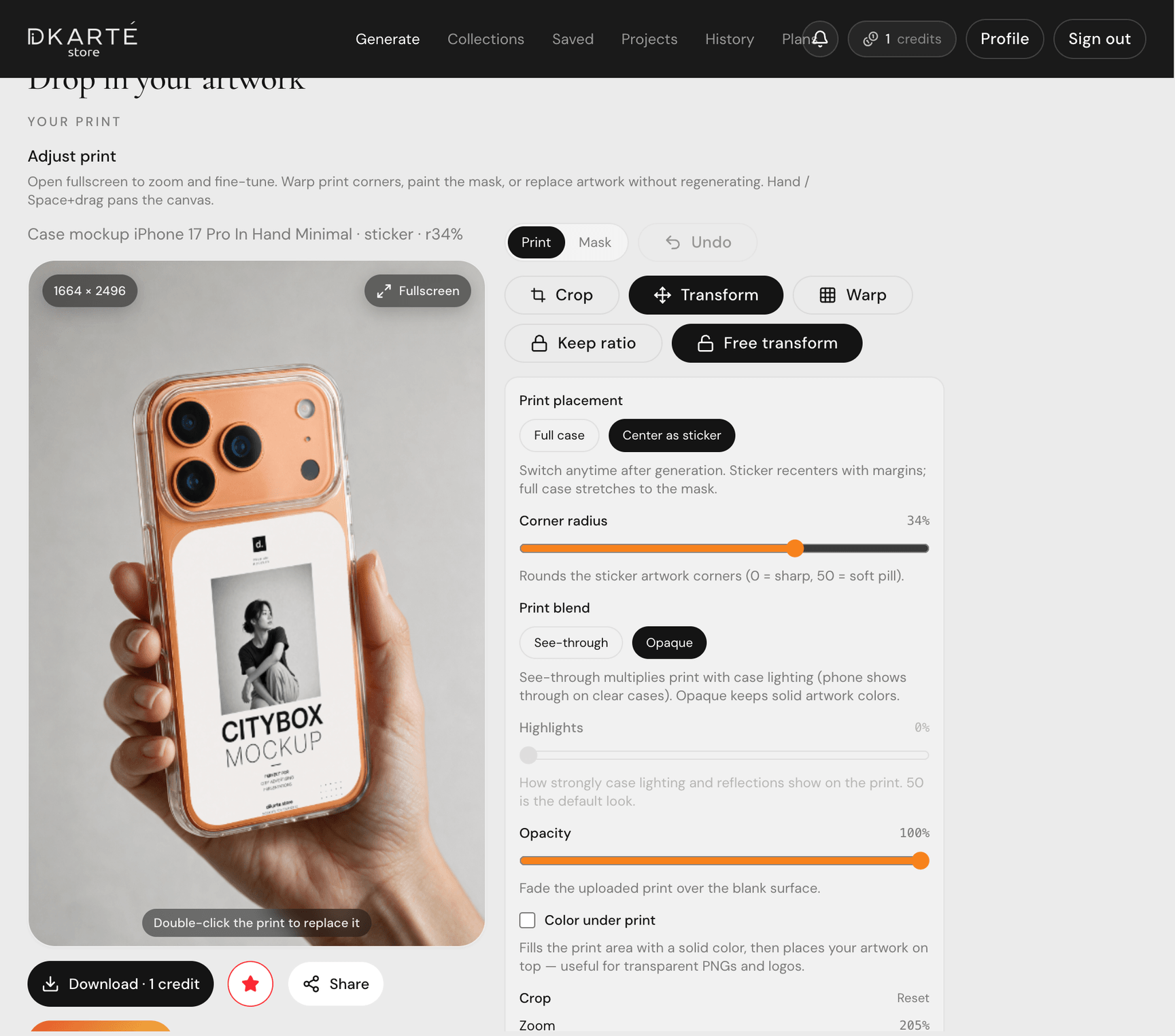
Edit the template on site
The result is a fully editable mockup in the browser: move and warp your print, refine the mask with the brush tools, and preview blend modes before export.
Lighting and texture from your original photo are preserved — only the artwork changes.
Step 04
Reuse for every new design
Save the mockup and upload a new print anytime. The same photo and mask work as a template for your whole product line.
FAQ
- What photos work best?
- Well-lit shots with a clear, unobstructed print area. Avoid heavy motion blur or extreme angles on the surface you want to replace.
- Can I fix the mask after generation?
- Yes. Open Mask mode in the editor to paint, erase, feather, or expand the printable area before applying your print.